Making Games With AI (Kind Of)
I grew up on the Commodore 64, so sometimes I like to tinker with those old 8-bit machines, sometimes the real thing, usually an emulator. Mostly just fiddling around with assembly language or C and toying with various small game ideas. I’m not a masochist, so I mostly work on my Linux desktop with modern tools (well, if you consider vim, Kickassembler, and C “modern”). I also try to streamline the asset creation pipeline.
I’ve been working on a sprite editor designed around the workflow I wanted. I make a little bit of custom artwork myself, but mostly I find nice assets on itch.io, import them into my editor, make them fit the limits of the hardware, make some tweaks to repair the damage of downsampling pixels and colors, etc. There are already good sprite editors, including those that can export to formats that are friendly to inclusion in a C64 game, but the process of using them is extremely tedious and time-consuming. Even something as simple as extracting out the four walking directions of animation sequences for a character sprite, lots of steps for a human to do.
So, over the past few months I’ve been building Spritely…the sprite editor I wanted to use. It’s still not quite ready for publication yet, but it already handles many of the things I most wanted to do, and I believe it has the best import tool available. It takes a PNG from just about any pixel artist (they all use different layouts, different grid sizes, etc. some are deranged, it’s much more complicated than it should be; about a thousand lines of code) and splits it into individual sprites, it can handle “overlay” sprites, a common tactic on C64 games where the dev really cares about making a great looking game, where every character is two sprites, one on top of the other, one multicolor low-res sprite for the body and one high-res single color sprite, for the border and maybe some precise features (like facial features). Spritely is the first tool I’m aware of that can automatically take a regular pixel art image intended for modern platforms and cram as much of it as possible into a C64 sprite with overlay. It works really well for sprites of the right size, and merely kinda OK for sprites that are too big and too detailed. But, there’s plenty of sprites below 24 pixels out there.
But, that’s not what this article is about. Just setting the scene.
This article is about AI. Now, I don’t really think LLMs should be used much in the design of games, and certainly not in creation of game art. As interesting and useful as LLMs are, they don’t want anything, and thus they simply can’t make art, no matter how many inoffensive images they spit out. Art means something to someone, and I think the intention behind well-done game art is part of what makes a game worth playing. I’ve yet to see an LLM-produced game that I’d want to play.
Remember how I said I find the process of making use of existing art really tedious? Well, I got the hair-brained idea that maybe an LLM could help me with that. What if it could figure out what all the rows in a sprite sheet were about? Couldn’t I make a tool to use the information to produce assembly data sections (or arrays or whatever is appropriate for the game being made) for all of my characters? The running, the fighting, the various actions, etc. The info about what the sprite sheet contains (e.g. Axeman, Spearman, Farmer, Dragon, Goblin, etc.) is easy. No AI needed there. And, sometimes, it’s also easy to get the cardinal walking directions, if they’re in the usual order (but you can’t count on them to be in the usual order). But, otherwise, it’s all sort of random how artists lay out their sprite sheets.
So, I got to thinking, “What about an LLM? They can look at pictures now, surely they can look at tiny pictures, too?” And, it turned out, not so much. All the previous ones I’ve tried were confused by tiny pixel art. It’s a blob to them because of how they process images. I spent quite a bit of time trying to make earlier models “look at” the pixel art I was working with, and not having much luck. I even spent a little time training a LoRA for the purpose, but that also didn’t really work.
But, then Gemma 4 12B arrived. The 12B variant is, I think, unique. Or at least unusual. It is an encoder-less vision model. Unlike other vision models where the vision portion of the model is a quite small encoder that translates the image to tokens the model can work with, the whole model is involved in vision processing in Gemma 12B. I don’t understand it, but it’s supposed to be really good for its size.
I gave it a try, and it is really good for its size!
Literally the first attempt, I got a successful result (the Peak of Inflated Expectations on the Gartner hype cycle).
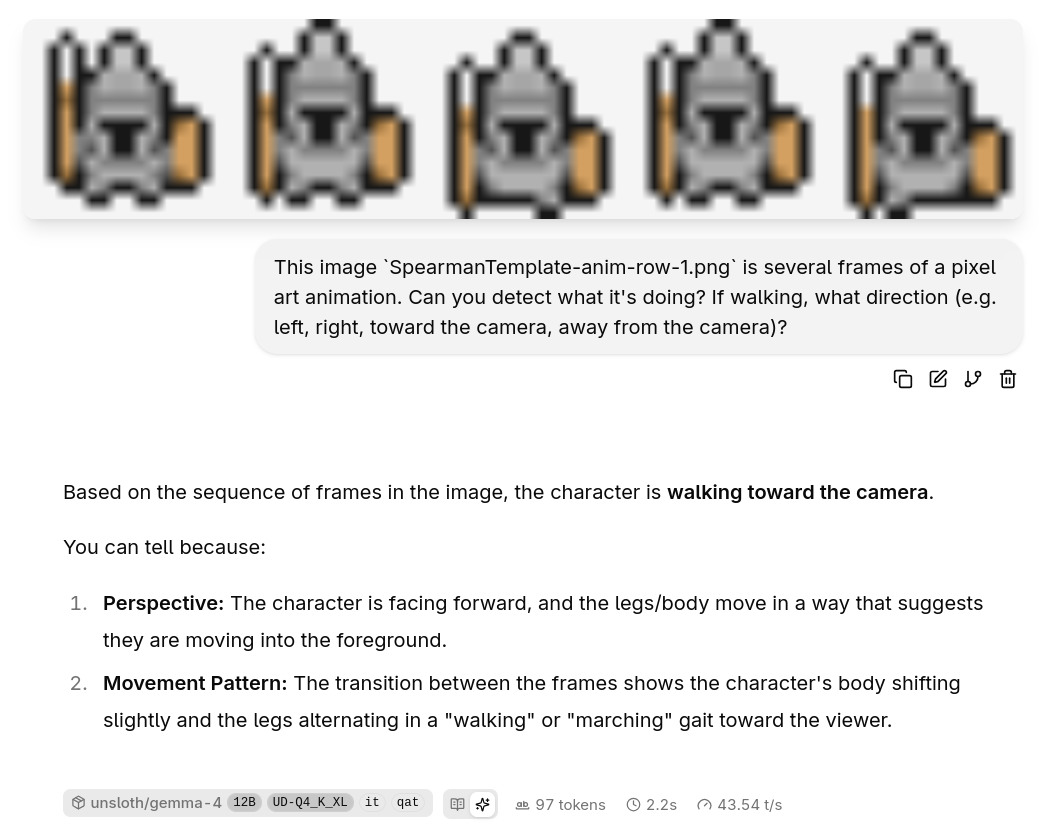
Couldn’t believe it. I’ve tried to make self-hosted models work with pixel art before for various categorization and detection and description tasks, more than I’d like to admit. Having it Just Work was a moment. And, a tiny model! This is the 4-bit QAT version that is 7GB on disk, and can reasonably run on most modern laptops or desktops without difficulty. 2 seconds on my old GPU.
So, I kept going. I tried the next three rows of this character (walking away, right, and left). And, it got all the rest of them wrong. Ah, yeah, there’s that familiar feeling of failure. The Trough of Disillusionment.
But, I’m stubborn, so I kept going. I noticed that even I had trouble determining “left” or “right” when looking at the rows in isolation…if I can’t tell, how could the model possibly be expected to? But, maybe it can reason about it if it’s looking at all four, just like I can.
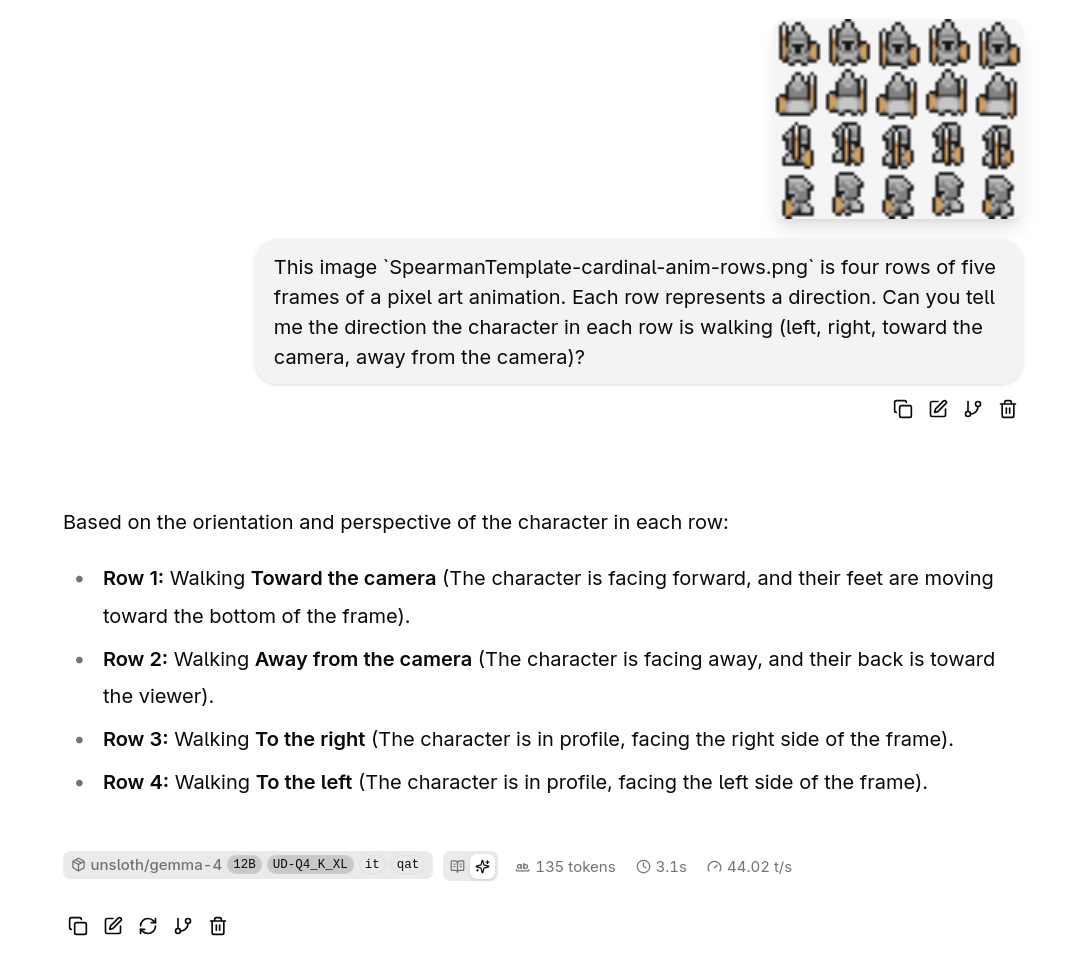
Oh. Oh, wow. It got it perfectly correct for every row. Back to being excited. (You know where this is going.)
And, I kept going. tried some other characters from the same MiniWorld asset pack. Some other poses. Lil’ Axe Guy, lil’ Sword Guy. Lil’ Axe Guy swinging a big axe. Things of that nature. Failures. Every one. It’d get some of them right, some of the walking ones, but mostly not. Attack animations would be identified as tumbling end over end (not a crazy guess, but obviously not right).
So, I did some research. Thought back on other things I’d had some kind of success with in the past. Turns out Gemma 4 has a knob for the vision layer, to allow it to dedicate more resources to the task. I don’t understand it, but llama-server has options for it (--image-min-tokens 1120 --image-max-tokens 1120 --ubatch-size 2048 --batch-size 2048). I don’t know what the batch arguments do, I just cargo-culted that in from the example I found. It worked, so I didn’t change it.
And, I’d previously had some success scaling up the pixel art to much larger sizes, knowing that the models are trained on and usually work with images in something like 32 pixel blocks…which would mean a 24 pixel sprite would be nothing but a blob. So, I upscaled by 4x, and then by 8x, and results started looking pretty good again, working on the lil’ Axe Guy that was 100% wrong in earlier experiments.
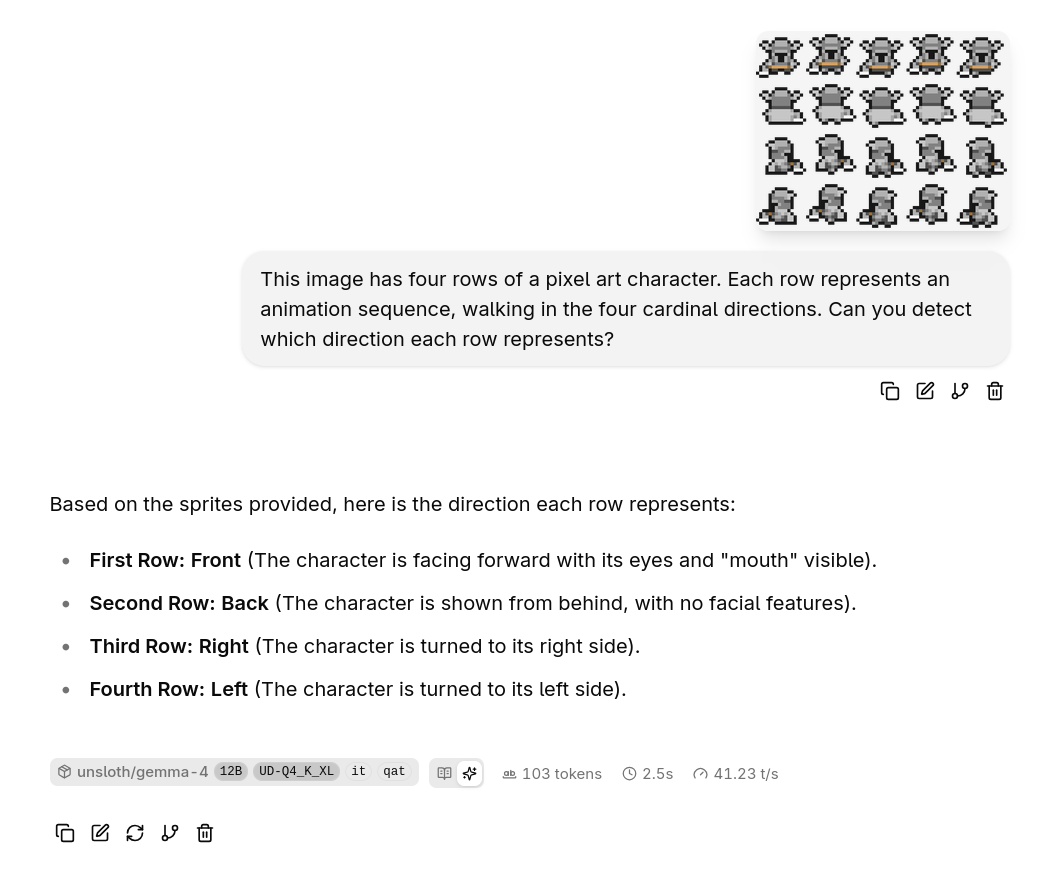
And, then I made it more challenging by giving it the whole sprite sheet with two rows of attack actions, and it broke again, getting only about half of them right. But, the half it got right were the attack motions that it go wrong on all previous attempts. So…progress?
This story doesn’t really have a conclusion, I’m still just tinkering. But, Gemma 4 12B is really exciting for its vision capabilities. For the first time in quite a while (since before I spent days trying to make several other models useful for vision work like this) I am optimistic I can make this work, reliably and quickly enough to be a general purpose tool that other folks might want to use. And, with a model that I’m reasonably confident most developers will be able to run locally at a comfortable speed.
Oh, also, I tried the smaller Gemma 4 models (E2B and E4B) and they failed miserably. 31B was one of the ones I’d tried in the past with mixed, but mostly poor, results. And, 31B is far too large to ship with a sprite editor, as it requires pretty beefy hardware to run, though the 4-bit QAT version brings it into the realm of possible for a lot more people without losing much capability.